A robot in a school can help with a narrow task: showing a visual prompt, carrying a tablet, or giving a student a way to join class from another room. The useful question is where that support fits, and where a teacher, aide, or therapist still needs to lead.
- Robots can repeat instructions without tiring.
- Telepresence can connect a student to a live lesson.
- Safety, privacy, and staff training set the limits.
Start with the classroom task
A robot should begin with a clear job. For a student who benefits from repeated prompts, a screen on a mobile robot could display the next step in a classroom routine. A speaker could read the same instruction aloud, while lights or movement draw attention to the prompt.
That setup may help when the student needs more time or fewer spoken instructions. It also gives staff a way to adjust the prompt without changing the whole lesson. The robot is carrying out a set routine; a teacher still decides what the student needs and when the routine should change.
Some students need support with social practice. A robot could take part in a short, repeatable exercise about turn-taking, greeting someone, or asking for help. Its responses can stay consistent across sessions, which gives the teacher a clear starting point for discussion.
The limits are just as clear. A robot may respond to a programmed cue, but it won't understand a student's feelings in the same way a skilled adult can. A quiet student, a sudden change in behavior, or a conflict between classmates still needs human attention.
Participation from another room
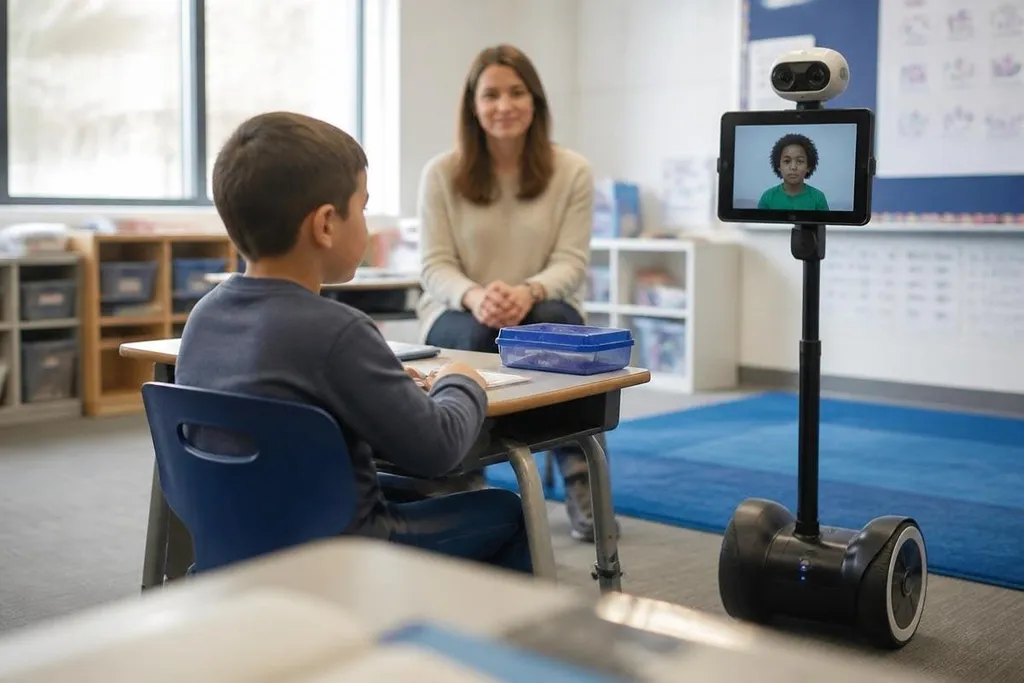
Telepresence robots could help a student join a lesson during illness, recovery, or a long absence. A camera, screen, microphone, and drive system let the student see the classroom and speak with people there. The value depends on the connection, the classroom layout, and the student's ability to control the robot.
A school would need a plan for movement. Door widths, ramps, floor surfaces, charging, and staff access can decide if the robot reaches the right room on time. A device that cannot turn near a desk may create extra work instead of removing it.
Before a school brings a robot near students, it needs evidence from a real setting. A dated report from Robot24 can name the model, task, school, and human handoff, so staff can judge the trial against the work they need done. The next check is what the robot records, who can see it, and how people can stop it.
Privacy and safety come first
Many school robots use cameras, microphones, location data, or student accounts. That creates questions about who can view recordings, how long data stays on a system, and what happens when the robot connects to an outside service.
Schools also need physical rules. A mobile robot must move at a safe speed near children, stop when its path is blocked, and have an easy-to-reach control for staff. A classroom trial should record faults and near misses, then use those findings to change the setup.
The student should have a clear way to refuse or pause the interaction. A robot that keeps speaking after a student signals distress can turn a support tool into another source of pressure.
Choose the smallest useful trial
I'd start with one routine, one classroom, and a short review period. That makes it easier to see if the robot helps the student, adds work for staff, or changes how classmates take part.
Use this checklist before buying or testing a system:
- Define the task in one sentence, such as “show the next step during independent work.”
- Ask which adult will set the prompts and review the results.
- Check the robot's speed, battery time, noise, turning space, and charging needs.
- Set rules for cameras, microphones, recordings, accounts, and data deletion.
- Give the student a pause or stop option that works without staff help.
- Review the trial with the student, family, teachers, and support staff.
A good trial should leave a record of what changed for the student and what extra work the robot created. If the answer cannot be seen in the daily routine, the school needs a better task or a different tool.